How to Block Ads on NY Times

If you’re looking for ways to block NYTimes ads to stay updated on current events without constant interruptions — this article is for you.
The New York Times combines a paywall, an anti-adblocker script, and ads that persist even on some paid subscription tiers. That makes it one of the more stubborn news sites to browse cleanly. But there are working solutions — on desktop, Android, and iOS.
Types of Ads on NY Times
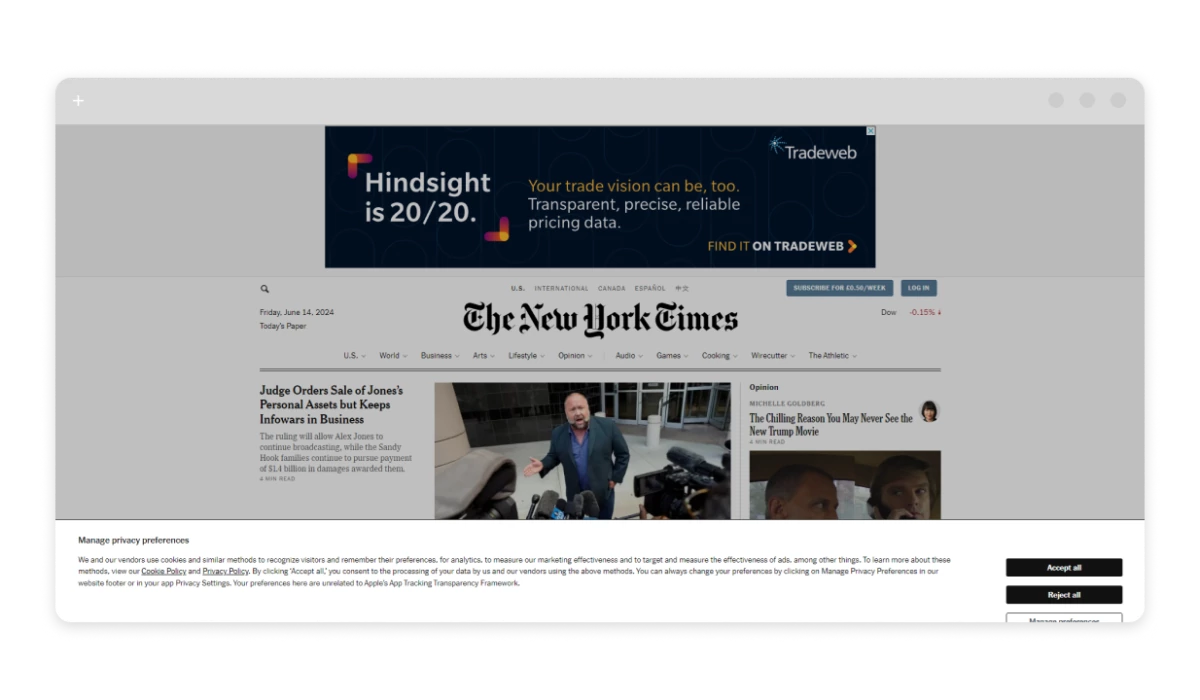
The New York Times serves several ad formats: banner ads at the top and sides of the page, interstitial full-screen ads that load before article content, native ads blended into the article feed, autoplay video ads, and promotional newsletter inserts. On top of that, the site runs an anti-adblocker script — if it detects a blocker, it walls you off and prompts you to disable it before reading.
NYT’s ad inventory is premium-priced, which means the ads are prominent, large, and hard to miss. Here’s what you can do about them.

Use an NY Times Ad Blocker
The most reliable way to block ads on NYTimes is a dedicated ad blocker. Not every tool handles it well — NYT’s anti-adblocker detection catches basic blockers and prevents access until you comply.

Two tools consistently handle NYT: AdLock and uBlock Origin. uBlock Origin is a browser extension — free, well-maintained, and effective for basic cases (the Firefox version holds up better than Chrome after Manifest V3 changes limited extension capabilities). AdLock works differently: it operates at the system level, outside the browser, blocking ads across all browsers and apps simultaneously. Because it doesn’t rely on browser extension APIs, it was unaffected by Manifest V3 — an advantage that matters if you use Chrome.
If you only read NYT in a single desktop browser, an extension is likely enough. If you use multiple browsers, or want to cover the NYT app on Android, system-wide blocking is the better fit.
How to Block Ads on NY Times Website
The fastest path to a cleaner NYT experience on desktop is a browser extension. Here’s how to set up the main options.
Desktop (Chrome, Firefox, Edge, Safari)
AdLock: Go to the Chrome Web Store, Firefox Add-ons, or Microsoft Edge Add-ons, search for “AdLock,” and click Add. AdLock for Chrome handles NYT’s anti-adblocker detection and paywall prompts that simpler tools get caught by. Pin it to your extension bar for quick access.
uBlock Origin: Available in the same extension stores. Install and you’re done. The Firefox version is more capable than the Chrome version due to Manifest V3 restrictions.
Browser built-in pop-up blockers handle the basics, but they don’t touch NYT’s paywall or its anti-adblock detection. For those, you need a proper extension running alongside.
Remove Ads From NY Times App on Android
NY Times offers several subscription tiers — basic access, All Access, cooking, and games. The full breakdown is on the NYT subscriptions page. Worth knowing upfront: even a paid subscription doesn’t remove all ads. Most tiers still serve advertising.
Since browser extensions don’t run inside Android apps, your options for blocking NYT ads on Android are:
- A standalone ad blocker app;
- A VPN with built-in ad blocking;
- Editing the Hosts file (requires root — not recommended unless you’re experienced).
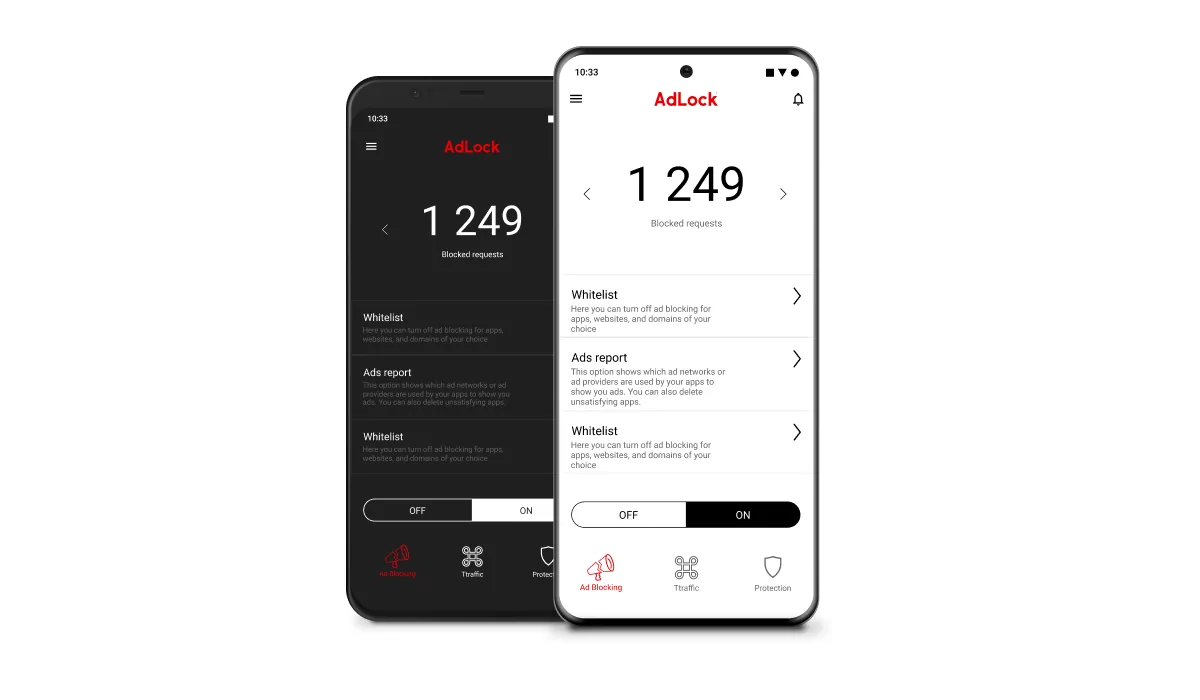
The safest and most thorough option is a standalone app. AdLock for Android blocks ads system-wide — across all apps and browsers on your device, including the NYT app. AdLock isn’t on Google Play, so download the APK directly from adlock.com.
Rooting your Android to edit the Hosts file is technically possible but voids your warranty and opens up security risks. Skip it unless you know exactly what you’re doing.
Get Rid of Ads From NY Times App on iOS

Apple places tight restrictions on what ad blockers can do inside third-party apps on iOS. Fully removing ads from inside the NYT app isn’t achievable through any third-party tool. That said, you can block a significant share of what gets served when reading NYT through Safari.
Your realistic options on iOS:
- AdLock for iPhone — works as a Safari content blocker, handles NYT ads and anti-adblocker prompts when browsing through the web. Enable it via Settings → Safari → Content Blockers.
- 1Blocker — another Safari content blocker available on the App Store.
- Safari Reader Mode — strips ads and page clutter from articles. Not true ad blocking, but it gives you a clean read. Tap the article icon (≡) in the Safari address bar on any NYT article to activate it.
How to Stop NY Times Pop-ups
NYT uses two types of pop-ups: subscription prompts (the “you’ve read your free articles” wall) and ad pop-ups. Here’s how to handle both by browser and device.
Desktop Browsers
- Chrome: Navigate to
chrome://settings/content/popupsand set it to block. Pair this with AdLock or uBlock Origin for NYT’s subscription wall and anti-adblocker prompts. - Firefox: Menu → Settings → Privacy & Security → Permissions → check “Block pop-up windows.”
- Edge: Settings → Cookies and site permissions → Pop-ups and redirects → toggle to Block.
- Safari (Mac): Safari → Preferences → Websites → Pop-up Windows → set to “Block and Notify.”
Browser-level pop-up blocking covers the basics. For NYT’s subscription wall and adblocker detection, you need an actual ad blocker running alongside it.
Mobile
- iOS (Safari): Enable a content blocker under Settings → Safari → Content Blockers.
- Android (Chrome): A system-wide ad blocker handles pop-ups at the app level. Brave Browser is a Chrome-based alternative with built-in blocking if you prefer not to install a separate app.
FAQ
Can you read NY Times without ads for free?
Yes — with an ad blocker. On desktop, a free extension like AdLock or uBlock Origin handles most NYT ads. On mobile, blocking is more limited, especially inside the native app on iOS.
Does NY Times detect ad blockers?
Yes. NYT runs an anti-adblocker script that detects common blockers and prompts you to disable them. Some tools get caught; others route around it. AdLock’s system-level approach tends to avoid triggering this detection.
Does a NY Times subscription remove all ads?
Not entirely. Most subscription tiers still include some advertising. A subscription buys you content access — it doesn’t equal a fully ad-free experience.
What is the best ad blocker for NY Times?
On desktop, AdLock or uBlock Origin (Firefox version) both handle NYT reliably. On Android, AdLock’s system-wide blocking covers the NYT app. On iOS, AdLock for Safari is the most practical option — full in-app blocking isn’t possible due to Apple’s restrictions.
Does ad blocking work on the NY Times mobile app?
On Android, yes — a system-level blocker like AdLock covers the NYT app and everything else on the device. On iOS, ad blocking in the native NYT app is restricted by Apple’s sandbox rules. You can block ads when reading through Safari, but not inside the app itself.
Conclusion
Blocking ads on the New York Times is doable — the right tool depends on your platform. On desktop, a solid browser extension handles most of what NYT throws at you. On Android, go system-wide. On iOS, pair a Safari content blocker with Reader Mode as a fallback.
AdLock covers all three scenarios without needing a separate tool for each device. If reading NYT cleanly across platforms is the goal, that’s the most practical place to start.
Similar news

How to Bypass Ad Blocker Detection: Methods That Still Work

Best AdGuard Alternatives in 2026 (Free and Paid)

Spotify Ad Blocker: Block Spotify Ads Without Premium

How to Uninstall Total Adblock and Find a Better Alternative (2026)

How to Remove Ads from Streamex