Best AdGuard Alternatives in 2026 (Free and Paid)
Disclosure: AdLock is our product and appears first on this list. We’ve included it because it’s genuinely the strongest alternative for most use cases — but we’ve also been honest about when AdGuard is the better choice and when free options outperform both.
AdGuard is a strong ad blocker, but it’s not the right fit for everyone. The free browser extension requires manual configuration to work well. The paid desktop app is one of the best available, but conflicts with VPNs on Android. The iOS version is limited to Safari and DNS filtering. For some users — especially Chrome users post-MV3, VPN users, and people who want zero-config setup — a different tool works better.
This guide covers the best apps like AdGuard — similar tools tested as AdGuard competitors tested in April 2026, with honest assessments of each competitor to AdGuard.
Why People Look for AdGuard Alternatives
Before listing the best alternatives to AdGuard, it’s worth understanding the specific reasons someone might leave — because the right replacement depends on the problem:
- “The Chrome extension doesn’t block enough” → AdGuard’s MV3 Chrome extension requires configuration and still has MV3 limitations. System-level tools like AdLock block more on Chrome.
- “I can’t run AdGuard and my VPN simultaneously on Android” → AdGuard for Android uses the device’s local VPN slot. Running a separate VPN at the same time isn’t possible. AdLock doesn’t have this conflict.
- “The free version isn’t free enough” → The free extension blocks browser ads but not in-app ads. uBlock Origin on Firefox covers more for zero cost.
- “I want something that just works without setup” → AdGuard’s default settings leave several filters disabled. Brave’s built-in blocker or AdLock require no configuration.
- “I’m concerned about AdGuard’s Russian development team” → A legitimate privacy consideration for some users. Alternatives with clearer Western jurisdiction: AdLock, AdBlock Plus, Brave.
Quick Comparison: AdGuard Alternatives at a Glance
Here’s a side-by-side of all five alternatives before we go into detail.
| Tool | Chrome | Firefox | Android | iOS | System-wide | VPN compatible | Free option | Price |
| AdLock | ✅ Full | ✅ Full | ✅ Full | ✅ Full | ✅ | ✅ | Free tier | From $2.99/mo |
| uBlock Origin | ❌ Lite only | ✅ Full | ✅ (Firefox) | ❌ | ❌ | ✅ | ✅ | Free |
| AdGuard ext. (free) | ✅ MV3 | ✅ Full | ❌ | ❌ | ❌ | ✅ | ✅ | Free |
| Brave Browser | ✅ Built-in | ❌ | ✅ Mobile | ✅ Mobile | ❌ | ✅ | ✅ | Free |
| AdBlock Plus | ✅ | ✅ | ❌ | ❌ | ❌ | ✅ | ✅ | Free |
The 5 Best AdGuard Alternatives in 2026
1. AdLock — Best Overall AdGuard Alternative
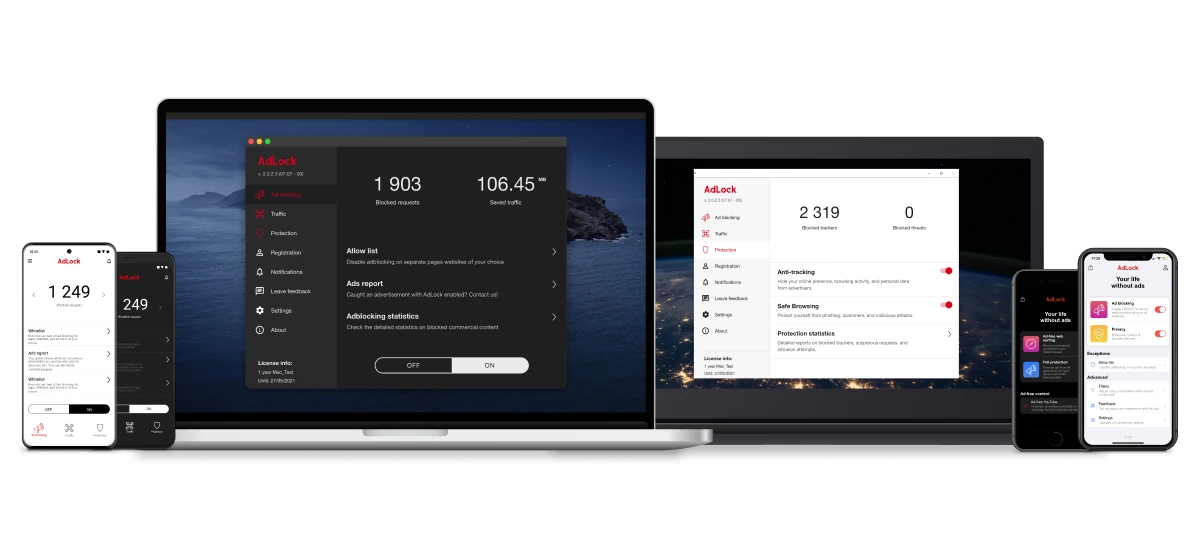
Who it’s best for: Chrome users, anyone who wants system-wide blocking across all browsers and apps simultaneously, Android users who need to run a VPN alongside their ad blocker, iOS users who want blocking beyond Safari.
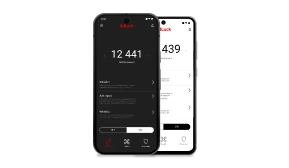
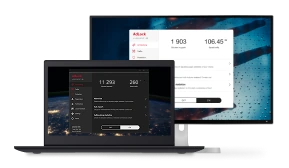
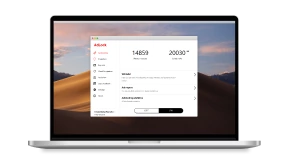
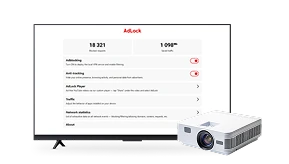
AdLock is the most direct answer to AdGuard’s main limitations. Where AdGuard’s Chrome extension is constrained by Manifest V3, AdLock bypasses the problem entirely by operating as a system-level application — filtering all network traffic through a local VPN before it reaches any browser or app. Chrome’s extension API restrictions are irrelevant: AdLock doesn’t use Chrome’s extension layer at all.
System-wide blocking
Unlike AdGuard’s free extension, which only blocks ads inside the browser, AdLock covers every app on the device — browsers, games, streaming apps, and background processes — simultaneously. The setup takes under two minutes and requires no manual filter configuration. AdGuard’s desktop app offers the same system-level capability but requires more configuration and doesn’t run alongside a VPN on Android.
VPN compatibility
This is AdLock’s clearest technical advantage over AdGuard. AdGuard for Android occupies the device’s local VPN slot, which means you can’t run a separate privacy VPN at the same time. AdLock’s architecture doesn’t have this conflict — it works alongside any VPN without additional configuration.
iOS coverage
AdGuard for iOS works primarily as a Safari content blocker and DNS filter — it can’t block ads inside Chrome for iOS, YouTube app, or other native apps. AdLock’s iOS DNS profile provides broader coverage across more apps, though like all iOS ad blockers it has Apple-imposed limits.
Automatic filter updates
Where AdGuard’s Chrome extension requires manually enabling filter categories (Privacy, Social, Annoyances are all off by default), AdLock updates its blocklists automatically in the background. New users get full blocking without ever opening settings.
Who it’s best for: Chrome users who lost uBlock Origin to MV3 and want system-level blocking, Android users who need VPN compatibility, anyone who wants AdGuard-level coverage without AdGuard’s setup overhead.
Pros:
- System-level blocking covers all browsers and apps simultaneously
- Not affected by Manifest V3 — blocks more on Chrome than AdGuard’s extension
- Compatible with simultaneous VPN use on Android
- Automatic filter updates, zero manual configuration
- Free tier available; mobile apps included in subscription
Cons:
- Subscription-only, no lifetime license (AdGuard offers a $79.99 lifetime option)
- Free tier is more restricted than AdGuard’s free extension
- Like all client-side tools, cannot block SSAI ads in live streams
- No self-hosted DNS option (AdGuard Home has no AdLock equivalent)
Pricing: Free tier available. Full version from $2.99/month. Platforms: Windows, macOS, Android, iOS.
2. uBlock Origin — Best Free AdGuard Competitor (Firefox and Brave)

Who it’s best for: Firefox and Brave users who want the most powerful free ad blocker available, advanced users who want maximum granular control, anyone who wants to switch away from AdGuard without paying for anything.
The full uBlock Origin on Firefox and Brave is arguably the most powerful ad blocker in 2026 — and it’s completely free and open-source. It scores 100/100 on AdBlock Tester, supports dynamic filtering (responding to new ad delivery within hours, not days), and has an element picker for manually removing any page element. Filter list updates are faster than any commercial product including AdGuard.
Dynamic filtering
This is uBlock Origin’s defining capability over AdGuard’s free extension. Dynamic filtering lets uBlock Origin intercept and modify network requests in real time — blocking new ad servers as they appear, sometimes within hours of detection. AdGuard’s free Chrome extension can’t do this due to MV3 constraints. On Firefox, AdGuard’s extension is comparable, but uBlock Origin’s dynamic mode gives significantly more granular per-site control.
Element picker and custom rules
uBlock Origin includes a visual element picker that lets you click any element on any page to permanently block it. The per-site rule system lets you whitelist individual elements on trusted sites while blocking everything else. AdGuard’s extension has similar features, but uBlock Origin’s implementation is more flexible and doesn’t require MV3 rule conversion.
Resource efficiency
In comparative testing, uBlock Origin uses 20–40% less memory than AdGuard’s browser extension. This matters on lower-spec devices and when running many tabs simultaneously.
Critical caveat: uBlock Origin no longer works on Chrome due to the Manifest V3 migration. If you’re on Chrome, uBlock Origin Lite is available but significantly less powerful. For Chrome users, AdLock is the stronger alternative to AdGuard.
Who it’s best for: Firefox and Brave users who want the best free ad blocker available with no commercial compromises.
Pros:
- 100/100 AdBlock Tester, best free blocking available
- Dynamic filtering responds to new ad delivery in real time
- Element picker for manual blocking of any page element
- Lower memory usage than AdGuard’s extension
- Open-source, no commercial interests
Cons:
- No longer works on Chrome (MV3 removed it from Chrome Web Store)
- No native mobile app for Android or iOS
- Advanced features require learning uBlock Origin’s interface
- uBlock Origin Lite (Chrome version) is significantly weaker
Pricing: Free, open-source. Platforms: Firefox, Brave (full version). Chrome (uBlock Origin Lite only).
3. AdGuard Browser Extension (Free) — Best Free In-Browser AdGuard Alternative
Who it’s best for: Users who want AdGuard-quality browser blocking without paying for the app, people evaluating AdGuard before committing to a subscription.
If the reason you’re looking for an alternative to AdGuard is the price, you may not need an alternative at all — AdGuard’s own free browser extension is one of the strongest free browser-based ad blockers available when properly configured. It’s meaningfully different from the paid app, but for browser-only use it outperforms most paid extensions from other companies.
Ad and tracker blocking
The free extension blocks banner ads, video ads, trackers, pop-ups, and social media widgets across Chrome, Firefox, Edge, and Safari. The critical requirement: you must enable Privacy Filters and Social Media Filters manually — they’re off by default. Once configured, the extension scores 100/100 on AdBlock Tester, the same as the paid app in browser testing.
How to configure for full effectiveness:
- Open AdGuard extension → Settings (gear icon) → Filters
- Enable Privacy Filters and Social Media Filters (both off by default)
- Optional: enable Annoyances filters
Custom filters
Like the paid app, the free extension supports importing custom filter lists and writing your own blocking rules. The MV3 version on Chrome has some conversion limitations, but covers the vast majority of use cases.
Comparison to AdLock’s free tier
AdGuard’s free extension has no usage limits — it blocks ads in your browser indefinitely at no cost. AdLock’s free tier has more restrictions. If you only need browser blocking and are willing to spend a few minutes on initial setup, AdGuard’s free extension is genuinely competitive.
Who it’s best for: Cost-conscious users who want strong browser ad blocking without a subscription and are willing to enable filters manually.
Pros:
- Completely free, no usage limits
- 100/100 AdBlock Tester when configured
- Available across all major browsers
- Custom filter support
Cons:
- Browser-only — no in-app blocking, no system-wide filtering
- Requires manual configuration to work well (Privacy and Social filters off by default)
- MV3-limited on Chrome — less capable than the full desktop app
- No HTTPS filtering, no Stealth Mode (paid app features only)
Pricing: Free. Platforms: Chrome, Firefox, Edge, Opera, Safari.
4. Brave Browser — Best Zero-Setup AdGuard Alternative

Who it’s best for: Users who want Chrome-like browsing with strong built-in ad blocking and no extensions to manage, people who want AdGuard-level privacy features without any setup.
Brave is the most underrated option on this list. Its ad blocker operates at the browser engine level — completely bypassing Chrome’s Manifest V3 restrictions since it’s not a browser extension at all. Install Brave and ad blocking is active immediately, with no extensions to install, no filters to enable, and no settings to configure.
Brave Shields
Brave’s built-in protection blocks banner ads, trackers, browser fingerprinting scripts, cross-site cookies, and social media widgets out of the box. The level of default protection exceeds AdGuard’s free extension before configuration. Unlike AdGuard, Brave also blocks browser fingerprinting by default — a privacy feature that AdGuard requires its Stealth Mode (paid) to replicate.
Privacy features beyond ad blocking
Brave includes HTTPS upgrades, Tor-powered private windows, and cross-site tracking prevention — all active by default, without needing to enable anything. AdGuard’s equivalent privacy features (Stealth Mode, fingerprint protection) require the paid desktop app or manual extension configuration.
YouTube limitation
Brave’s built-in blocker is less reliable on YouTube pre-rolls than system-level tools like AdLock or AdGuard’s desktop app. If you watch a lot of YouTube, Brave works but you’ll see more missed ads than with AdLock. For general browsing, Brave matches or exceeds AdGuard’s free extension.
Who it’s best for: Users who want Chrome-comparable UX with strong default privacy, no extension maintenance, and no cost.
Pros:
- Zero setup — blocking and privacy active on install
- Engine-level blocking bypasses MV3 entirely
- Fingerprinting protection and Tor windows included free
- Strong default privacy, no configuration required
- Free browser
Cons:
- YouTube ad blocking less consistent than AdLock or AdGuard desktop
- No in-app ad blocking outside the browser
- Less configurable than AdGuard for advanced users
- Not an extension — requires switching browsers entirely
Pricing: Free browser. Platforms: Windows, macOS, Android, iOS.
5. AdBlock Plus — Best Simple AdGuard Alternative for Chrome

Who it’s best for: Chrome users who want the simplest possible free extension, users who find AdGuard’s interface overwhelming, people who want a well-known, widely-supported blocker.
AdBlock Plus (ABP) is the world’s most-installed ad blocker and remains fully available on Chrome without Manifest V3 compatibility issues — unlike many other extensions. It handles most standard ad formats reliably and requires only one setting change to work properly.
Ad blocking
AdBlock Plus blocks banner ads, pop-ups, video ads, and most standard ad formats across Chrome, Firefox, Edge, and Safari. It’s simpler than AdGuard in terms of customization, which is both a feature and a limitation — less powerful, but much less confusing for new users. The comparison to AdGuard’s free extension: AdBlock Plus blocks slightly fewer ad types, but requires less setup for casual users.
The Acceptable Ads issue — and how to fix it
AdBlock Plus’s “Acceptable Ads” program whitelists certain non-intrusive ads by default — advertisers pay to be on this list. This means AdBlock Plus intentionally lets some ads through unless you opt out. AdGuard has no equivalent commercial compromise: AdGuard’s free extension blocks everything.
Fix it immediately after installing: AdBlock Plus → Settings → General → toggle off “Allow Acceptable Ads.”
With this disabled, AdBlock Plus’s coverage improves significantly and it behaves as a proper ad blocker with no commercial filtering.
Custom filter lists
AdBlock Plus supports custom filter lists and is compatible with EasyList and EasyPrivacy filter sets. The customization depth is less than AdGuard or uBlock Origin, but sufficient for most users’ needs.
Who it’s best for: Chrome users who want the simplest possible free ad blocker and are willing to change one setting after installation.
Pros:
- Works on Chrome without MV3 issues
- Simple, familiar interface — low learning curve
- Widely compatible across all major browsers
- Supports custom filter lists
- Free
Cons:
- Acceptable Ads program whitelists paid advertisers by default — must be manually disabled
- Less blocking depth than AdGuard or AdLock
- No system-wide blocking, no mobile native app
- Weaker tracker protection than AdGuard or uBlock Origin
Pricing: Free (Acceptable Ads revenue model). Platforms: Chrome, Firefox, Edge, Opera, Safari.
Which AdGuard Alternative Is Right for You?
- Best blocking on Chrome → AdLock (system-level, MV3-proof)
- Best free alternative, willing to switch browsers → uBlock Origin on Firefox
- Want AdGuard-level power for free in the browser → AdGuard’s free extension, configured
- Want zero setup → Brave Browser
- On Chrome, want the simplest free extension → AdBlock Plus (disable Acceptable Ads first)
- Need VPN compatibility on Android → AdLock
How to Switch from AdGuard to AdLock
If you’re currently using AdGuard and want to switch to AdLock, here’s how to do it cleanly without a gap in protection.
Step 1: Install AdLock Go to adlock.com and download AdLock for your platform — Windows, macOS, Android, or iOS. Installation takes about two minutes.
Step 2: Enable HTTPS filtering On first launch, AdLock will prompt you to enable HTTPS filtering. Confirm and install the root certificate when prompted — this lets AdLock filter encrypted ad traffic the same way AdGuard’s paid app does.
Step 3: Disable or uninstall AdGuard Running both simultaneously isn’t recommended — they’ll compete to filter the same traffic. On desktop, disable AdGuard’s app or uninstall it. Remove the browser extension from all browsers.
Step 4: Remove AdGuard’s root certificate (if you used the paid app) If you used AdGuard’s desktop app with HTTPS filtering, remove its root certificate: on Windows go to certmgr.msc → Trusted Root Certification Authorities and delete the AdGuard certificate. On macOS, open Keychain Access and remove it from the System keychain.
Step 5: Verify AdLock is running Open any browser and visit a page with ads — everything should be blocked immediately across all your browsers simultaneously. No filter lists to configure, no manual setup.
FAQ
What is the best free alternative to AdGuard?
For Firefox and Brave: uBlock Origin — free, 100/100 on AdBlock Tester, more powerful than AdGuard’s extension. For Chrome: AdGuard’s own free browser extension (once configured) or AdBlock Plus with Acceptable Ads disabled. For zero-config free blocking: Brave Browser.
What is the best alternative to AdGuard overall?
AdLock is the strongest overall alternative to AdGuard — it matches or exceeds AdGuard’s blocking on Chrome, works across all browsers simultaneously, and is compatible with VPNs on Android.
Is AdLock better than AdGuard?
For Chrome users in 2026: yes, AdLock blocks more because it’s not subject to Manifest V3 restrictions. On Android, AdLock is better if you need a simultaneous VPN. AdGuard is better if you want a lifetime license or need AdGuard Home (self-hosted DNS).
What apps are similar to AdGuard?
The closest apps similar to AdGuard in 2026 are AdLock (system-level blocking, all platforms), uBlock Origin (best free browser extension), and Brave Browser (engine-level built-in blocking). All three cover the core use case of blocking ads across browsers.
Is there a free AdGuard alternative with system-wide blocking?
Brave Browser blocks ads at the engine level without extensions — the closest free equivalent to AdGuard’s system-wide blocking. For true app-level blocking across all installed apps, you need a paid tool — AdLock or AdGuard’s desktop app are the main options.
Can I use AdLock and AdGuard together?
Running two system-level ad blockers simultaneously isn’t recommended — they’ll conflict. Pick one.
What is the difference between AdGuard and AdBlock Plus?
AdGuard’s free extension blocks all ads by default with no commercial compromises. AdBlock Plus’s “Acceptable Ads” program whitelists some ads from paying advertisers by default. AdGuard also has significantly more filter customization. For comprehensive blocking, AdGuard is the stronger choice — but both are free.

Similar news
How to Use a Redirect Blocker in Chrome, Firefox, Edge, and Safari

How to Block Ads on Dailymotion (Browser + Mobile App)

How to Bypass Ad Blocker Detection: Methods That Still Work
How to Stop Sites from Opening New Tabs Automatically

How to Block YouTube Ads on Android in 2026