AdBlock Plus Review 2026: The Acceptable Ads Problem
Disclosure: We make AdLock, which competes with AdBlock Plus. We’ve done our best to be accurate and honest — pointing out where ABP is genuinely strong and where it falls short. Testing was conducted in April 2026.
AdBlock Plus has been around since 2006 — one of the oldest ad blockers in existence. It has over 100 million users, works on every major browser, and is completely free. On paper, it looks like an obvious choice. In practice, there’s one decision built into it that most users don’t know about until they’re confused why ads are still showing up.
This review covers everything you need to know about AdBlock Plus in 2026: what the Acceptable Ads program actually is, how it performs with and without it, where it genuinely excels, and when you should use something else instead.
- What Is AdBlock Plus?
- The Acceptable Ads Problem — The Most Important Thing to Know
- AdBlock Plus Free vs Premium
- AdBlock Plus by Platform
- Feature Breakdown
- AdBlock Plus Pricing in 2026
- Test Results
- Pros and Cons
- What Users Say About AdBlock Plus
- Who Should Use AdBlock Plus?
- AdBlock Plus Alternatives
- How to Switch from AdBlock Plus to AdLock
- FAQ
What Is AdBlock Plus?
AdBlock Plus (ABP) is a browser extension developed by eyeo GmbH, a German company. It was originally created in 2006 as a Firefox extension — at the time, one of the only reliable ad blockers available. It’s since expanded to Chrome, Edge, Opera, Safari, and Android.
Important distinction: AdBlock Plus is not the same as AdBlock. They’re two different products from two different origins, though both are now owned by eyeo GmbH after AdBlock was acquired in 2021. They share the Acceptable Ads program but have different interfaces and slightly different feature sets. Users frequently confuse the two — and Trustpilot reviews for one often land on the other’s page.
AdBlock Plus is open-source, free to use, and funded primarily through the Acceptable Ads program (more on that below) and voluntary Premium subscriptions.
The Acceptable Ads Problem — The Most Important Thing to Know
This is the single most important thing to understand about AdBlock Plus before you install it.
AdBlock Plus has a commercial program called “Acceptable Ads” in which advertisers pay eyeo GmbH to have their ads whitelisted. These ads are deemed “non-intrusive” by eyeo’s standards and are allowed to pass through AdBlock Plus’s filter by default. Participating advertisers include Google, Microsoft, Amazon, and others who pay to have their ads shown to AdBlock Plus users.
This means: AdBlock Plus lets paid advertisers show you ads by default. It’s an opt-out, not opt-in. When you install ABP and don’t change any settings, you’re already seeing ads from paying participants.
The fix is one toggle: Settings → General → uncheck “Allow Acceptable Ads.”
Once disabled, AdBlock Plus’s blocking performance improves significantly. Its AdBlock Tester score jumps from ~77/100 (default) to 100/100 (with Acceptable Ads off and all free filters enabled). The problem is that most users don’t know to do this — and ABP has no interest in making it obvious, since those advertiser fees fund the company.
The business reality: eyeo GmbH makes money by selling whitelist access. This is not a hidden practice — the company is transparent about it — but it represents a fundamental conflict of interest for a product whose entire purpose is to block ads. AdGuard, uBlock Origin, and AdLock have no equivalent commercial arrangement with advertisers.
AdBlock Plus Free vs Premium
| Feature | Free | Premium (~$4/mo) |
| Banner and display ads | ✅ (after disabling Acceptable Ads) | ✅ |
| YouTube ad blocking | ✅ | ✅ |
| Tracker blocking | ⚠️ Basic (EasyPrivacy, manual) | ✅ |
| Cookie consent popups | ❌ | ✅ |
| Floating video blocking | ❌ | ✅ |
| Survey/notification popups | ❌ | ✅ |
| Custom filter lists | ✅ | ✅ |
| Element picker | ✅ | ✅ |
| Browser support | All major | All major |
| Mobile app | ✅ | ✅ |
| Price | Free | ~$3.33–$4/mo |
Key insight: The free version covers most everyday ad blocking needs once Acceptable Ads is disabled. Premium’s main additions are cookie banner blocking and floating video removal — useful but not essential. Most users choosing between free and premium should first decide whether they want ABP at all, versus a competitor that blocks everything by default.
AdBlock Plus by Platform
AdBlock Plus for Chrome
Works well on Chrome with MV3 compliance. Unlike uBlock Origin (which lost full functionality on Chrome due to Manifest V3), AdBlock Plus was already more compatible with MV3’s architecture and its core functionality is intact. After disabling Acceptable Ads and enabling EasyPrivacy filters, Chrome blocking performance is solid for everyday browsing.
Best for: Chrome users who want a well-known, MV3-compatible free extension.
AdBlock Plus for Firefox
Firefox is where ABP works best, with no MV3 limitations. Full filter list support, element picker, and custom rules all function properly. For Firefox users who want a lighter-touch alternative to uBlock Origin with a simpler interface, ABP is a reasonable choice — provided Acceptable Ads is disabled.
Best for: Firefox users who find uBlock Origin’s interface too complex.
AdBlock Plus for Edge and Opera
Works well on both. Edge maintains MV3 alignment with Chrome but currently with some lag, giving ABP a bit more flexibility on Edge than Chrome. Opera support is solid.
AdBlock Plus for Android
The Android app works as a browser-based ad blocker — it does not filter system-wide traffic. Ads in native apps (YouTube app, Spotify, games) are not blocked. For system-wide Android ad blocking, tools like AdLock or AdGuard’s Android app are needed. ABP’s Android app is primarily useful if Android browsing in supported browsers is your main use case.
Best for: Android users who primarily browse in Chrome or Firefox on mobile and don’t need in-app blocking.
AdBlock Plus for iOS / Safari
ABP offers a Safari content blocker for iOS. Like all iOS ad blockers, it’s limited to Safari and DNS-level filtering — native app ads are outside its reach. The iOS experience is comparable to AdGuard’s free Safari extension.
Feature Breakdown
Ad blocking
With Acceptable Ads disabled and EasyPrivacy enabled, ABP blocks banner ads, pre-roll video ads, pop-ups, sidebar ads, and most standard display formats reliably. In our April 2026 testing it scored 100/100 on AdBlock Tester in this configuration. The default out-of-the-box score is 77/100 with Acceptable Ads on.
One recurring weakness: YouTube ad blocking. ABP struggles more than AdGuard or uBlock Origin with YouTube’s anti-adblock countermeasures — mid-roll ads and Shorts ads are less reliably blocked. Some users see YouTube pre-rolls slip through even with optimal settings, particularly when YouTube updates its delivery system. The full uBlock Origin on Firefox handles this more consistently.
Tracker blocking
Basic tracker blocking is available for free via EasyPrivacy filters — but unlike AdGuard, these filters are not enabled by default. You must go to Settings → Filter Lists → Privacy and enable EasyPrivacy manually. Once enabled, ABP blocks Google Analytics, Facebook Pixel, and most major tracking scripts.
Compared to AdLock’s system-level tracker blocking (which intercepts traffic before it reaches the browser), ABP’s extension-based tracker blocking is less comprehensive — it can only block trackers it sees in browser requests, not at the network level.
Custom filter lists
ABP supports importing custom filter lists via URL and subscribing to community-maintained lists. This is a genuine strength — advanced users can add regional lists, specific-site blockers, and malware lists. The interface for managing filter lists is simpler than uBlock Origin’s but functional.
Element picker
The element picker lets you click any page element to manually block it. Works well in practice and is simpler to use than uBlock Origin’s equivalent. No syntax knowledge required — point, click, confirm.
Cookie consent popup blocking (Premium only)
One of the more genuinely useful Premium features. Cookie consent popups on European websites have become ubiquitous and disruptive. ABP Premium blocks these automatically. Free users see them. Ghostery blocks these for free; AdBlock Plus charges for it.
Malware and phishing protection
Available via filter lists (ABP Warning Removal and anti-malware lists). Not enabled by default — requires manual activation. Less comprehensive than AdLock’s or Total Adblock’s built-in malware URL blocking, but functional once configured.
AdBlock Plus Pricing in 2026

| Plan | Price | Billing | Includes |
| Free | $0 | — | Core ad blocking (Acceptable Ads on by default) |
| Premium Monthly | ~$4/mo | Monthly | Cookie blocking, floating video, survey removal |
| Premium Annual | ~$40/yr (~$3.33/mo) | Annual | Same as monthly, 17% discount |
Money-back guarantee: 120 days on Premium subscriptions — one of the longer guarantees in the category.
Compared to AdLock: AdLock full version starts at $2.99/month with no Acceptable Ads compromise and system-wide blocking. AdBlock Plus Premium at $4/month covers browser-only blocking with cookie popup removal as the main addition. For most users evaluating paid ad blocking, AdLock covers more use cases at a lower price.
Compared to AdGuard: AdGuard’s free extension outperforms ABP’s free version in default settings (AdGuard blocks everything by default, ABP has Acceptable Ads on). AdGuard Personal app is ~$2.49/month for system-wide blocking. AdBlock Plus Premium doesn’t compete on system-wide coverage.
Test Results
We tested AdBlock Plus on Chrome in April 2026, both with default settings and optimally configured.
AdBlock Tester (adblock-tester.com):
- Default settings (Acceptable Ads on): 77/100
- Acceptable Ads off + EasyPrivacy enabled: 100/100
This is a significant gap. A user who installs ABP and never touches settings is getting meaningfully weaker blocking than the tool is capable of delivering.
YouTube ad blocking: More inconsistent than AdGuard or uBlock Origin. In our test sessions, pre-roll ads were blocked on most YouTube visits but mid-roll ads and Shorts ads showed through more frequently than with configured AdGuard or full uBlock on Firefox.
Tracker blocking: With EasyPrivacy enabled: blocked Google Analytics, Facebook Pixel, and most major tracking scripts reliably. Without EasyPrivacy: only basic tracker blocking, missing many analytics and fingerprinting scripts.
Resource usage: ABP uses slightly more memory than uBlock Origin Lite but is comparable to AdGuard’s extension. In our testing, no meaningful impact on page load times.
Pros and Cons
What AdBlock Plus does well
- Works on every major browser — Chrome, Firefox, Edge, Opera, Safari, Android; broadest compatibility in the category
- 100/100 AdBlock Tester when properly configured — genuine blocking performance
- Open-source — full code transparency, community-audited
- Custom filter lists — flexible, supports community-maintained blocklists
- Simple element picker — easier to use than uBlock Origin’s for non-technical users
- Fast email support — responses within ~1 hour in our test (rare among free ad blockers)
- Established, widely recognised — 100M+ users, extensive documentation
- 120-day money-back on Premium — lowest-risk trial in the category
Where AdBlock Plus falls short
- Acceptable Ads enabled by default — the fundamental commercial compromise; lets paid advertisers show ads unless you opt out
- Default score 77/100 — significantly weaker out-of-the-box than AdGuard, uBlock Origin, or AdLock
- YouTube blocking inconsistent — less reliable on mid-rolls and Shorts than competitors
- No system-wide blocking — browser extension only; in-app ads on Android/iOS are untouched
- Privacy filters not enabled by default — EasyPrivacy must be manually activated
- Cookie blocking behind paywall — competing tools (Ghostery) include this for free
- Persistent upgrade prompts — many users complain about tab opens and promotional messages on updates
- Trustpilot rating low — 2.3/5, driven largely by complaints about Acceptable Ads and YouTube failures
- No live support — email only; no chat, no phone
What Users Say About AdBlock Plus
AdBlock Plus has one of the more polarised user review profiles in the ad-blocker category — strong among casual users who configure it properly, strongly negative among users who expected it to work without setup.
Trustpilot: 2.3/5 — one of the lowest ratings in the category. The most common complaints: ads still showing (usually Acceptable Ads-related or YouTube), persistent upgrade prompts on extension updates, and pricing confusion between ABP and similarly-named products.
Representative critical review: “This used to be a very good app, but recently the developers have instigated annoying pop-ups trying to get users to upgrade to Premium. This app used to be about blocking this exact type of annoyances.” — Trustpilot, 2025
Representative positive review: “I’m using the free version, which is extremely good at blocking the most annoying and intrusive ads on a variety of platforms. There was a period it didn’t work for YouTube, but it seems the talented [team] resolved it.” — Trustpilot
Reddit (r/privacy, r/ublock): Advanced users are consistently critical of the Acceptable Ads program and recommend uBlock Origin instead. Common characterisation on Reddit: ABP has “sold out.” Many Trustpilot complaints for ABP are actually mis-directed complaints about Total Adblock — the confusion between similarly-named products is a recurring issue across platforms.
Tech review sites: AllAboutCookies gives it 4.5/5, noting that it’s effective once configured but requires setup to reach its potential. AdBlock Tester gives a favourable technical assessment once settings are optimised. The gap between technical review scores and user review scores reflects the configuration-dependency problem — the tool performs well for users who know to turn off Acceptable Ads; it underperforms for everyone else.
Who Should Use AdBlock Plus?
AdBlock Plus is a reasonable choice if you:
- Want a free, widely-supported browser extension that works on every major browser
- Are willing to disable Acceptable Ads and enable EasyPrivacy on first setup
- Use Firefox and want something simpler than uBlock Origin
- Need an extension that works on Chrome without Manifest V3 issues
- Value broad browser compatibility over maximum blocking power
Look elsewhere if you:
- Want an ad blocker that blocks everything by default with no commercial compromises (AdGuard, uBlock Origin, AdLock)
- Need system-wide blocking on Android or iOS (AdLock, AdGuard)
- Are a heavy YouTube user — AdGuard or AdLock are more reliable
- Are privacy-focused — AdGuard or uBlock Origin have stronger tracker blocking defaults
- Want cookie consent popup blocking for free (Ghostery includes this)
AdBlock Plus Alternatives
AdLock — System-level blocking across all browsers, Android, and iOS. No Acceptable Ads program, no commercial compromises. Blocks everything by default. Free tier available, from $2.99/month full. The strongest overall alternative to AdBlock Plus for most users.
AdGuard (free extension) — Blocks all ads by default, no Acceptable Ads. More configurable than ABP. Works across all major browsers. Free. Full AdGuard review
uBlock Origin (Firefox/Brave) — The most powerful free ad blocker on Firefox and Brave. No commercial compromises, no Acceptable Ads. 100/100 default performance. Full uBlock Origin review
Brave Browser — Built-in engine-level blocking, zero configuration, blocks everything by default. Free browser.
For the full comparison: Best AdBlock Plus Alternatives in 2026
How to Switch from AdBlock Plus to AdLock
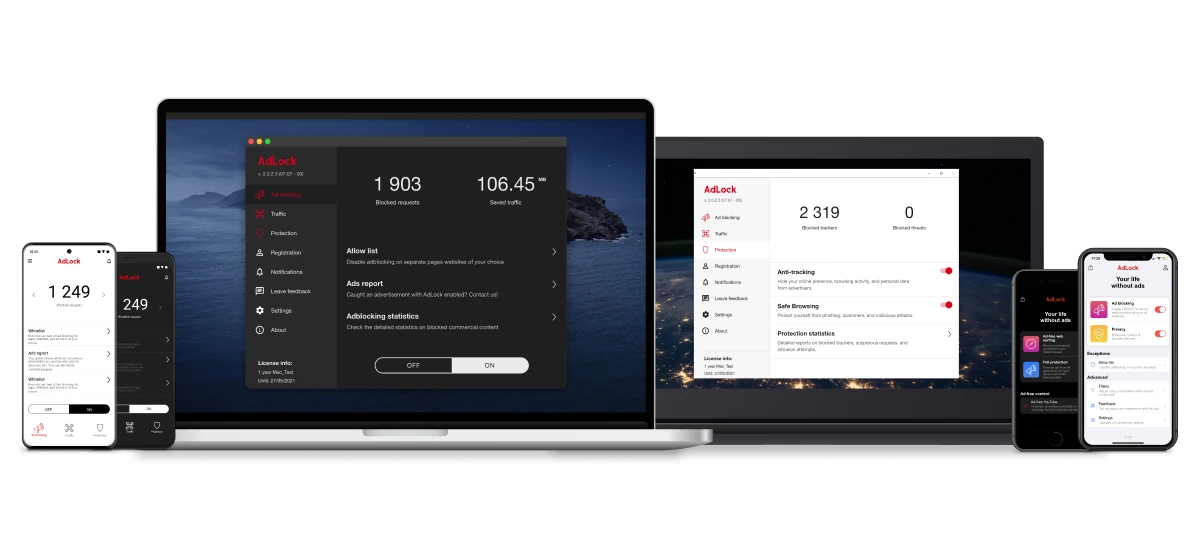
If you’re on AdBlock Plus and want to switch to something that blocks everything by default without the Acceptable Ads compromise:
- Download AdLock from adlock.com for your platform
- Enable HTTPS filtering on first launch — this allows AdLock to filter encrypted ad traffic at the network level, covering ads that extension-based tools miss
- Remove the AdBlock Plus extension from your browsers — running both simultaneously isn’t needed
- Open any browser — AdLock filters all traffic before it reaches Chrome, Firefox, or any other browser. Ads are blocked everywhere simultaneously without any setup
Unlike AdBlock Plus, AdLock has no Acceptable Ads program, requires zero configuration, and works across all browsers and apps simultaneously.
FAQ
Is AdBlock Plus free?
Yes. The core ad-blocking functionality is completely free. Premium ($3.33–$4/month) adds cookie consent popup blocking, floating video removal, and survey popup blocking. The free version is sufficient for most users once Acceptable Ads is disabled.
What is the Acceptable Ads program?
A commercial program run by eyeo GmbH (ABP’s parent company) where advertisers pay to have their ads whitelisted in AdBlock Plus by default. Participants include Google, Microsoft, and Amazon. The program generates revenue for eyeo but means ABP intentionally lets some ads through. You can disable it in Settings → General → uncheck “Allow Acceptable Ads.”
Is AdBlock Plus safe?
Yes. It’s open-source and community-audited. The safety concern isn’t security — it’s the commercial arrangement with advertisers via the Acceptable Ads program, which some users consider a compromise of the tool’s purpose.
Is AdBlock Plus better than AdGuard?
AdGuard’s free extension blocks everything by default without commercial compromises. ABP requires disabling Acceptable Ads to reach comparable performance. AdGuard has stronger default tracker blocking. For browser-only use, AdGuard is the stronger free choice. ABP’s advantages are: slightly simpler interface and broader browser compatibility.
Does AdBlock Plus block YouTube ads?
Partially. With Acceptable Ads disabled, ABP blocks most YouTube pre-rolls in our testing but is less consistent on mid-rolls and Shorts than AdGuard or uBlock Origin. YouTube’s frequent anti-adblock updates affect ABP more noticeably than tools with faster filter update cycles.
What is the difference between AdBlock and AdBlock Plus?
Both are separate products now owned by the same parent company (eyeo GmbH). AdBlock (getadblock.com) was created in 2009; Adblock Plus (adblockplus.org) in 2006. Both use the Acceptable Ads program. The products have different interfaces — AdBlock is generally considered slightly better at YouTube blocking out of the box.

Latest news

Government Spyware Is Now Delivered Through Online Ads

How to Block Annoying Ads on Business Insider Once and For All

How to Block Annoying Ads on Bloomberg Once and For All

How to Block Annoying Ads on Los Angeles Times Once and For All

How to Block Annoying Ads on New York Post Once and For All