Total Adblock Review 2026: Is It Worth Paying For?
Disclosure: We make AdLock, which competes directly with Total Adblock. We’ve done our best to be accurate — pointing out where Total Adblock is genuinely strong and where it falls short. Testing was conducted in April 2026.
Total Adblock is one of the most-searched ad blockers in 2026 — and one of the most misunderstood. Its free version looks appealing on the surface, but there’s a catch that most reviews bury in a footnote: the free tier blocks ads on zero of the top 15,000 most-visited websites. That includes YouTube, Facebook, Google, Reddit, news sites, and practically every site you actually visit daily.
This review covers what you get with Total Adblock — as a competitor to AdGuard and AdLock, and what apps similar to Total Adblock offer as alternatives, what you pay, and whether it’s worth it compared to the alternatives.
- What Is Total Adblock?
- The Free Tier Problem — What “Free” Actually Means
- Total Adblock by Platform
- Feature Breakdown
- Total Adblock Pricing in 2026
- Test Results
- Pros and Cons
- What Users Say About Total Adblock
- Who Should Use Total Adblock?
- Total Adblock Alternatives
- How to Switch from Total Adblock to AdLock
- FAQ
What Is Total Adblock?
Total Adblock is a browser-based ad blocker developed by Total Security Limited — the UK company also behind TotalAV antivirus (also known as Protected.net). It was launched as a companion product to TotalAV and is deeply integrated into the TotalAV ecosystem: you can buy Total Adblock as a standalone product or bundled with a TotalAV antivirus subscription.
This relationship matters. Total Adblock is not an independent ad-blocking project like uBlock Origin, nor a standalone security tool like AdGuard. It’s a commercial product from a security software company, designed to work alongside antivirus software and sold primarily to users already in the TotalAV ecosystem.
Total Adblock’s key product facts:
- Browser extension for Chrome, Edge, Opera, Safari — no Firefox support
- Mobile apps for Android and iOS
- Closed-source — no public code audit
- Bundled with TotalAV antivirus in most plans
- 7-day free trial, then falls back to heavily restricted free tier
- Premium pricing starts at $1.59/month (first year), renews at approximately $8.25/month
The Free Tier Problem — What “Free” Actually Means
This is the most important section of this review. Total Adblock’s free tier is marketed as a genuine free option, but it’s more accurately described as a permanent demo.
After the 7-day trial of full features expires, the free tier activates. Here’s what it does: it stops blocking ads on the top 15,000 most-visited websites. This list is based on Alexa rankings and includes essentially every site most people use daily — YouTube, Facebook, Google, Reddit, Twitter/X, Amazon, Netflix, major news sites, and streaming platforms.
In practice, the free tier blocks ads only on obscure, low-traffic websites. On the sites you actually visit every day, the free version shows all ads. It also aggressively prompts you to upgrade every time you hit a blocked site.
What the free tier does block:
- Basic trackers on low-traffic sites
- Malicious domains and phishing URLs
- Pop-ups on non-top-15K sites
What the free tier does NOT block:
- YouTube ads
- Facebook ads
- Google ads
- Ads on any major news, social, or streaming site
- Ads on essentially any site in your daily browsing
This is a fundamentally different model from AdGuard (whose free extension blocks everything in the browser), uBlock Origin (completely free with no site restrictions), or AdLock (which has a free tier with usage limits but doesn’t artificially whitelist the entire top 15,000 websites).
The signup flow: When you install Total Adblock, you automatically get a 7-day trial of the full premium version — no credit card required. This trial is genuinely useful. After 7 days, if you haven’t subscribed, you’re downgraded to the useless free tier. The upgrade prompts that follow are persistent and can feel aggressive.
Total Adblock by Platform
Total Adblock for Chrome and Edge
The Chrome and Edge extensions are Total Adblock’s primary products and where it performs best. Installation is fast, setup requires no configuration, and the premium version blocks ads immediately across all major sites including YouTube and Facebook. The extension uses a simple on/off toggle with no filter management required — the polar opposite of uBlock Origin’s configuration depth.
One significant limitation: Total Adblock has no Firefox extension. If you use Firefox, Total Adblock is not an option at all.
Total Adblock for Android
The Android app functions as a local VPN filter — the same architecture used by AdGuard and AdLock on Android. This means it can block ads across all browsers and some apps without root access. In premium mode, it covers in-browser ads comprehensively and blocks some in-app ads.
Compared to AdLock on Android, Total Adblock has the same VPN slot limitation: you cannot run a simultaneous standalone VPN. User reviews on Google Play are notably worse than on Trustpilot — common complaints include billing confusion, difficulty cancelling auto-renewal, and reports of ads appearing after subscribing.
Total Adblock for iOS
The iOS app works within Apple’s content blocking framework — Safari ad blocking with DNS-level filtering for basic app-level protection. Like all iOS ad blockers, it cannot block ads inside native apps (YouTube app, Instagram, Spotify) due to Apple’s sandboxing. Ads inside non-Safari browsers are also not blocked.
Total Adblock — No Firefox Support
Total Adblock has no Firefox extension. This is a notable gap that distinguishes it from AdGuard, AdBlock Plus, and uBlock Origin — all of which support Firefox. If Firefox is your primary browser, Total Adblock is not a viable option.
Feature Breakdown
Ad and tracker blocking (Premium)
In premium mode, Total Adblock scored 100/100 on AdBlock Tester in our April 2026 testing — the same top score as AdGuard and uBlock Origin on Firefox. It blocks banner ads, pop-ups, pre-roll and mid-roll video ads, YouTube ads, Facebook ads, and tracking scripts out of the box with no filter configuration required.
Compared to AdLock, Total Adblock is browser-only — it only blocks ads inside supported browsers, not in system-level apps. AdLock’s network-level filtering catches ad traffic before it reaches any app, including games, streaming apps, and utilities outside the browser.
TotalAV antivirus integration
This is Total Adblock’s most distinctive feature. Premium subscriptions come bundled with TotalAV antivirus, giving you real-time malware scanning, phishing protection, and data breach alerts alongside ad blocking. No other major browser-based ad blocker bundles a full antivirus.
Whether this is a benefit depends on whether you need antivirus software. If you already have antivirus (Windows Defender, Malwarebytes, etc.), the TotalAV bundle adds no practical value — you’re paying for duplicate protection. If you don’t have antivirus and want a single subscription covering both, the value proposition is stronger.
YouTube and social media blocking
Total Adblock Premium reliably blocks YouTube pre-roll and mid-roll ads in our testing. It maintained performance throughout our test sessions, though YouTube Shorts ads occasionally appeared before being blocked. Facebook and Instagram feed ads were blocked consistently.
Whitelisting and allow-list
Total Adblock includes a straightforward Allow List — you can add any site to exclude it from ad blocking. This is simpler than uBlock Origin’s rule-based whitelisting, which requires writing exception syntax. For non-technical users, Total Adblock’s one-click whitelisting is genuinely easier.
Privacy and tracker blocking
Total Adblock blocks third-party tracking scripts, Google Analytics, Facebook Pixel, and social media widgets. Privacy filtering is active by default — no manual filter enabling required, unlike AdGuard which has Privacy Filters off by default. Compared to uBlock Origin on Firefox, tracker blocking depth is shallower — static lists only, no dynamic filtering.
No custom filter lists
Total Adblock doesn’t support importing custom filter lists or writing user-defined blocking rules. Advanced users who want to block specific elements on specific pages, add regional filter lists, or customise blocking behaviour beyond the defaults have no way to do so. This is a significant limitation compared to AdGuard, uBlock Origin, and even AdBlock Plus.
Customer support — billing only
Total Adblock offers email and phone support, but primarily for billing issues. Technical support for ad-blocking problems routes through TotalAV’s help centre, which covers TotalAV products generally rather than Total Adblock specifically. There is no live chat. Multiple user reviews report difficulty reaching human support for technical issues.
Total Adblock Pricing in 2026

Total Adblock’s pricing model is straightforward in year one and significantly more expensive at renewal.
| Plan | Price (Year 1) | Renewal Price | Includes |
| Total Adblock Premium | ~$1.59/mo (~$19/yr) | ~$8.25/mo (~$99/yr) | Ad blocking + TotalAV antivirus |
| TotalAV Suite (with Adblock) | ~$49/yr | ~$119/yr | Full TotalAV + Total Adblock bundled |
| Free tier | Free | Free | Blocks ads on non-top-15K sites only |
The renewal pricing jump is the biggest complaint from users. The first-year price of ~$1.59/month is competitive. The renewal price of ~$8.25/month (~$99/year) is significantly higher — and it’s set to auto-renew. Users who miss the renewal notice consistently report this as a negative surprise.
Compared to AdLock: AdLock’s full version starts at $2.99/month with no renewal price hike and no artificial restriction on the free tier. For comparable premium ad blocking, AdLock is cheaper at renewal and more transparent about what the free tier does and doesn’t cover.
Compared to AdGuard: AdGuard Personal costs ~$2.49/month for year-one pricing that stays relatively consistent at renewal, and offers a $79.99 lifetime license. Total Adblock has no lifetime option.
Money-back guarantee: 30 days on annual plans, 14 days on monthly. The 7-day free trial is useful for evaluating the product before committing.
Auto-renewal warning: If you sign up for the 7-day trial, you must cancel before day 7 or you’ll be billed for the first year. Set a calendar reminder.
Test Results
We tested Total Adblock Premium (Chrome extension) in April 2026.
AdBlock Tester (adblock-tester.com):
- Premium (default settings): 100/100
- Free tier: ~40/100 — most ad categories unblocked on major sites
YouTube ad blocking (Premium): Blocked pre-roll and mid-roll ads consistently in test sessions. YouTube Shorts ads appeared occasionally — roughly 1 in 8 Shorts sessions showed an ad before being blocked. No configuration changes were required; performance was solid out of the box.
Tracker blocking (Premium): Blocked Google Analytics, Facebook Pixel, and most major tracking scripts reliably. Coverage depth is comparable to AdGuard’s default (pre-configuration) settings, though less thorough than configured AdGuard or uBlock Origin on Firefox with EasyPrivacy enabled.
Free tier reality check: We visited 20 major websites in free tier mode. Ads appeared on all 20 — including YouTube, Facebook, Reddit, BBC, CNN, and Amazon. The free tier is not functional for everyday ad blocking.
Pros and Cons
What Total Adblock does well
- 100/100 AdBlock Tester in premium mode — top-tier blocking performance
- Zero configuration required — install and it works, no filter lists to manage
- TotalAV antivirus bundled — genuine added value if you don’t already have antivirus
- YouTube and social media blocking reliable in premium mode
- Simple whitelisting — one-click allow list, no rule syntax required
- Phishing and malware URL blocking included out of the box
- Android VPN-based blocking covers more than browser-only tools
- 7-day full-feature trial — no credit card required
Where Total Adblock falls short
- Free tier blocks 0 of top 15,000 websites — functionally useless for everyday browsing, misleading “free” label
- Steep renewal price — jumps from ~$1.59/mo to ~$8.25/mo after year one; many users report surprise billing
- No Firefox support — major gap vs AdGuard, AdBlock Plus, uBlock Origin
- No custom filter lists — can’t import blocklists, no user rules, no element picker
- Closed-source — no code transparency; you’re trusting the brand
- Browser-only on desktop — doesn’t block ads in apps, games, or system processes
- Support primarily billing-focused — technical issues often unresolved
- Difficult cancellation — multiple user reviews across platforms report obstacles cancelling auto-renewal
- Aggressive upgrade prompts on free tier
What Users Say About Total Adblock
Total Adblock has strongly split reviews — high ratings from paying premium users, strongly negative reviews from free-tier users and those who encountered billing issues.
Trustpilot: 73% five-star ratings. Positive reviews focus on effectiveness, ease of setup, and the TotalAV bundle value. Critical reviews almost uniformly involve auto-renewal surprises, difficulty cancelling, and customer support responsiveness.
Representative positive review: “One-click install and boom, no more ads. They were able to install it easily, and in one day, the unpleasant ads were gone. The fact that it integrates well with TotalAV also received some compliments.”
Representative critical review: “Many negative reviews are related to the billing and cancellation issues. Users who signed up for the cheap first year but got charged the full year’s renewal fee without consent are also unhappy. It’s been made difficult for them to cancel the auto-renewal.” — PCRisk review aggregation
Google Play: Notably lower ratings than Trustpilot. Recurring themes in negative reviews: ads not blocked after subscribing, trouble cancelling subscriptions, aggressive email upsells after trial.
App Store (iOS): More positive than Google Play. Most complaints relate to iOS limitations (can’t block in-app ads) rather than product issues.
Reddit: Mixed. Privacy-focused subreddits (r/privacy, r/netsec) generally recommend against Total Adblock in favour of uBlock Origin + Firefox or AdGuard due to the closed-source nature and billing practices. General consumer subreddits have more positive sentiment from users who just want something that works.
Who Should Use Total Adblock?
Total Adblock Premium is a reasonable choice if you:
- Want zero-configuration ad blocking that works out of the box on Chrome
- Don’t have antivirus software and want ad blocking + antivirus in one subscription
- Are comfortable with the first-year pricing knowing the renewal is ~$99/yr
- Don’t use Firefox (it’s not supported)
- Don’t need custom filter lists or advanced blocking controls
Avoid Total Adblock if you:
- Want a genuinely useful free tier — the free version is not functional for everyday browsing
- Use Firefox as your primary browser
- Want transparent, open-source software
- Need VPN compatibility on Android (same local VPN slot conflict as AdGuard)
- Want lifetime pricing (not available)
- Want custom filter control or element picking
- Are uncomfortable with auto-renewal practices
Total Adblock Alternatives
Looking for a Total Adblock alternative, a competitor to Total Adblock, or apps similar to Total Adblock? Here are the strongest options:
AdLock — System-level blocking across all browsers (including Firefox), Android, iOS, and Windows/macOS. Transparent free tier with no artificial site restrictions. No renewal price hike. No TotalAV bundle, but compatible with any antivirus. From $2.99/month.
AdGuard — Strong free browser extension with no site restrictions; paid app for system-level blocking. More configurable than Total Adblock. No antivirus bundle. From ~$2.49/month, lifetime license available. Full AdGuard review
uBlock Origin (Firefox) — Completely free, no site restrictions, open-source. Best free option if you use Firefox. No customer support, no mobile app. Full uBlock Origin review
AdBlock Plus — Free, works on Chrome and Firefox, no artificial site restrictions. Has Acceptable Ads compromise by default (disable it in settings). Weaker tracker blocking than Total Adblock premium.
How to Switch from Total Adblock to AdLock
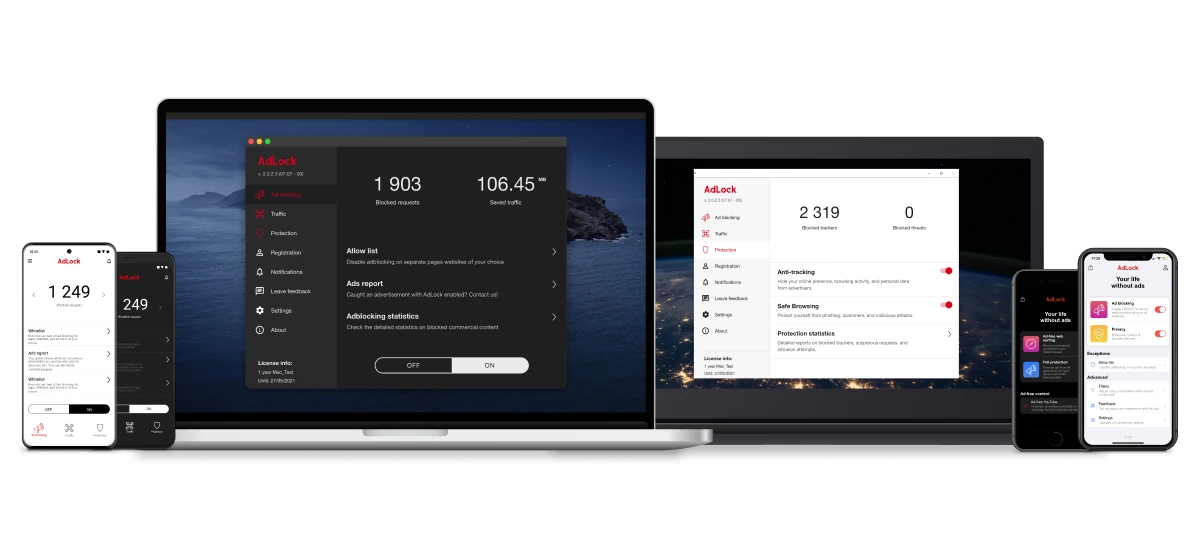
If you’re on Total Adblock and want to switch, here’s how to do it cleanly:
- Cancel your Total Adblock subscription before the next billing date to avoid auto-renewal charges. Go to your TotalAV account → Subscriptions → cancel Total Adblock separately (it renews independently of other TotalAV products).
- Download AdLock from adlock.com for your platform — Windows, macOS, Android, or iOS.
- Enable HTTPS filtering when prompted on first launch — this allows AdLock to filter encrypted ad traffic at the network level.
- Disable or remove the Total Adblock extension from your browsers. Running both simultaneously isn’t recommended.
- Open any browser — AdLock filters all traffic before it reaches the browser, so ads are blocked in Chrome, Firefox, Edge, and all other browsers simultaneously.
Unlike Total Adblock, AdLock works on Firefox, doesn’t have a renewal price hike, and doesn’t require a bundled antivirus subscription.
FAQ
Is Total Adblock free?
Total Adblock has a free tier, but it blocks ads only on sites outside the top 15,000 most-visited websites. In practice, this means it blocks ads on almost no websites you actually use daily — YouTube, Facebook, Google, Reddit, and most news and streaming sites all show ads on the free tier. A 7-day full-feature trial is available without a credit card.
Is Total Adblock safe?
Yes, as a product it’s safe — it comes from TotalAV, a legitimate cybersecurity company. The main concern for privacy-conscious users is that Total Adblock is closed-source, so its data practices can’t be independently verified. The company states it doesn’t collect or sell user data.
What is Total Adblock’s renewal price?
After the first year at ~$1.59/month (~$19/year), Total Adblock renews at approximately $8.25/month (~$99/year). This renewal price jump is the most common complaint in user reviews. Set auto-renewal reminders if you subscribe.
Does Total Adblock block YouTube ads?
Yes, in premium mode. Total Adblock Premium reliably blocks YouTube pre-roll and mid-roll ads. YouTube Shorts ads occasionally slip through. The free tier does not block YouTube ads — YouTube is in the top 15,000 websites that the free version excludes.
Is Total Adblock the same as TotalAV?
No. Total Adblock is a separate product from the same company (Total Security Limited / Protected.net). TotalAV is an antivirus suite. Many Total Adblock premium plans bundle TotalAV, but they’re separate products with separate subscriptions that must be cancelled independently.
Does Total Adblock work on Firefox?
No. Total Adblock has no Firefox extension. For Firefox users, AdGuard’s extension, uBlock Origin, or AdBlock Plus are the main alternatives.
Is Total Adblock worth it? Are there better apps like Total Adblock?
For users looking for an alternative to Total Adblock with a genuine free tier, or apps similar to Total Adblock without the renewal price hike, AdLock and AdGuard are the strongest competitors to Total Adblock. At the first-year price of ~$1.59/month — yes, especially if you don’t have antivirus and the TotalAV bundle adds value. At the renewal price of ~$8.25/month, the value depends on whether the antivirus bundle justifies the cost. Compared to AdLock at $2.99/month (stable, no renewal hike) or AdGuard’s free extension, Total Adblock is harder to recommend at renewal pricing.

Latest news

Government Spyware Is Now Delivered Through Online Ads
How to Block Annoying Ads on Business Insider Once and For All

How to Block Annoying Ads on Bloomberg Once and For All

How to Block Annoying Ads on Los Angeles Times Once and For All

How to Block Annoying Ads on New York Post Once and For All