How to Block Annoying Ads on Business Insider Once and For All
You tap a Business Insider headline, and before the story even appears you’re wrestling a video ad, a banner pinned to the top, and a slide-in begging you to subscribe. Get through two articles and the paywall shows up. For a site people open to read fast, that’s a lot standing in the way.
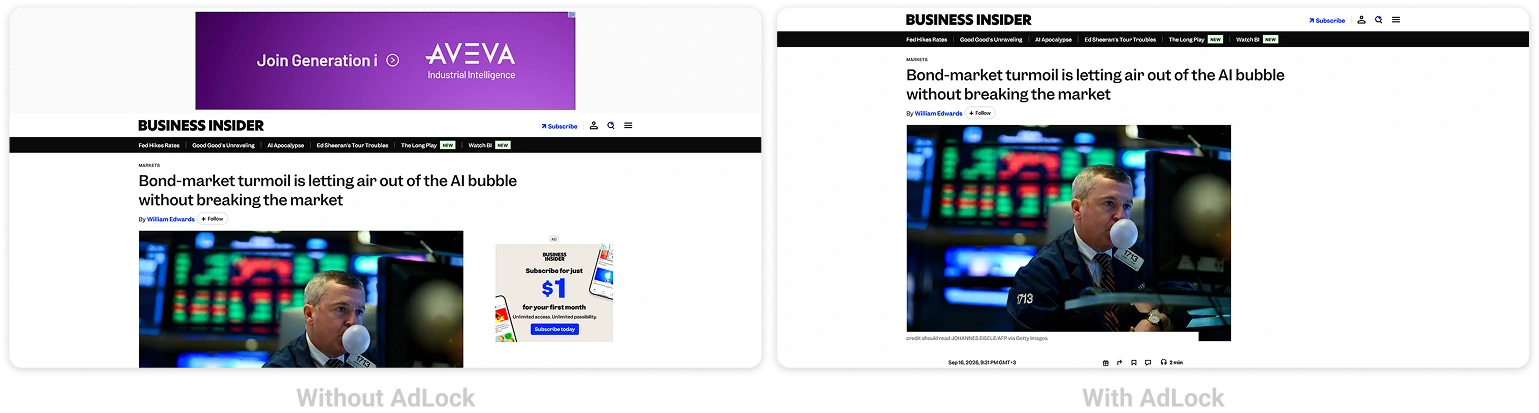
Nearly all of that can go. Below, we cover every method that actually works to block Business Insider ads — across Chrome, Safari, Firefox, and Edge on the web, and on Android and iPhone. A dependable ad blocker does the bulk of it for you.
Read Business Insider ad-free — AdLock clears banners, video, and pop-ups.
Worth clearing up first: Business Insider runs a metered paywall, and that’s a different thing from ads. An ad blocker wipes the ads, autoplay video, and trackers — it won’t open paywalled articles, and we won’t pretend otherwise.
Contents
- How to Stop Annoying Ads on Business Insider
- How to Block Ads on Business Insider Website
- How to Block Ads on Business Insider App (Android & iOS)
- How to Stop Business Insider Pop-Up Ads and Notifications
- Why Use AdLock as Your Business Insider Ad Blocker
- Final Thoughts
- Frequently Asked Questions
How to Stop Annoying Ads on Business Insider
Business Insider piles on a few ad formats at once: autoplay video, top banners that stick as you scroll, sponsored posts dressed up as real stories, and notification prompts that keep resurfacing. Your best method comes down to the device you’re on.
This guide walks through:
- Blocking ads on the Business Insider website (Chrome, Safari, Firefox, Edge)
- Blocking ads on mobile (Android and iOS)
- Stopping Business Insider pop-ups and notifications
- Using AdLock across all your devices at once
How to Block Ads on Business Insider Website
AdLock Standalone App (Desktop — Recommended)
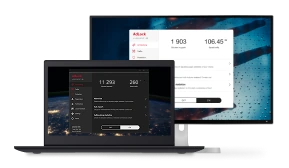
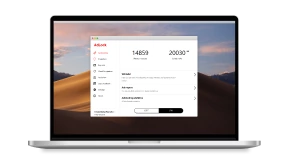
The tidiest desktop route is the AdLock app for Windows or Mac. It filters ads at the network level, so one install quietly protects Chrome, Firefox, Edge, and Safari at the same time — no extension to add per browser.
- Download AdLock for Windows or macOS at adlock.com
- Activate it with your license
- Filtering is on out of the box — open Business Insider and it’s clean
Chrome
If you prefer to stay light, the AdLock Chrome extension clears Business Insider’s banners, video, and pop-ups after a single click to install. It only reaches inside Chrome, though.
Safari
Install AdLock from the App Store on your Mac or iPhone, then activate it under Safari > Settings > Extensions on macOS, or Settings > Safari > Content Blockers on iPhone and iPad. Safari then filters the ads as each page comes in.
Firefox
In Firefox, the AdLock extension installs and switches on just like it does in Chrome — and Business Insider’s ads are filtered from the first page you load.
Edge
For Edge, lean on the HOSTS file method or the browser’s built-in tracking prevention. We spell out each step in our guide to block ads on Microsoft Edge.
How to Block Ads on Business Insider App (Android & iOS)
Business Insider’s app is ad-supported, and there’s no in-app switch to turn the ads off. Filtering at the system level is how you clear them.
Android
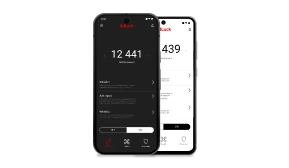
AdLock for Android runs a local VPN that filters every app on the phone.
- Get AdLock from Google Play (search AdLock: Adblocker & Privacy) or from adlock.com
- Approve the VPN prompt
- Install the CA certificate so HTTPS traffic is filtered — the app guides you
- Activate your license
- Open Business Insider — the ads are gone
A single setup takes care of the app, your browser, and everything else on the device.
iOS (iPhone and iPad)
Grab the ad blocker for iPhone from the App Store and enable it under Settings > Safari > Content Blockers. It works the same on iPhone and iPad. For the cleanest read, stick to Safari rather than a native app — Apple’s sandbox limits what in-app filtering manages.
How to Stop Business Insider Pop-Up Ads and Notifications
Those notification prompts and push alerts sit apart from the on-page ads. Once you’ve allowed them, they keep arriving until the permission is pulled.
- Chrome: chrome://settings/content/notifications → find businessinsider.com → Block
- Safari (Mac): Safari > Settings > Websites > Notifications → Deny
- Safari (iPhone/iPad): Settings > Safari > Notifications → switch off
- Firefox: about:preferences#privacy → Notifications Settings → remove businessinsider.com
That ends the alerts and prompts. The display ads themselves still call for an ad blocker.
Why Use AdLock as Your Business Insider Ad Blocker
Lighter blockers grab the banners but skip the autoplay video and sponsored blocks that clutter Business Insider. AdLock filters the lot, autoplay video included.
It also shuts down the retargeting scripts that tail you to other sites later. Because AdLock filters at the network and JavaScript layer instead of living inside the browser as an extension, the Manifest V3 changes that clipped so many extension blockers never touched it. Fewer heavy elements loading also means quicker pages and lighter data use.
And this reaches past Business Insider — one AdLock install clears ads across other news sites, apps, and games on the same device.
Read Business Insider ad-free — AdLock clears banners, video, and pop-ups.
Final Thoughts
Here’s where most readers land:
- Desktop (any browser): the AdLock app for Windows or macOS
- Chrome only: the free AdLock Chrome extension
- Safari on Mac or iPhone: AdLock with content blockers on
- Android: AdLock for Android, app and browser together
- iOS: AdLock content blockers, reading in Safari
- Notifications: block businessinsider.com in browser settings
Clear each of those and Business Insider reads cleanly again — with the paywall, separate as ever, still in place.
Want the news minus the noise? Get AdLock and read Business Insider ad-free.
Frequently Asked Questions
Can I block ads on Business Insider for free?
Yes — AdLock’s Chrome and Safari extensions are free and clear ads on the site in those browsers. In-app blocking on Android is a premium feature.
Will an ad blocker remove the Business Insider paywall?
No. It strips ads, video, and trackers, but the paywall is a separate subscription system AdLock doesn’t get around.
Can AdLock stop video pop-ups on Business Insider?
It does — autoplay and pop-up video that many lighter blockers let through gets filtered on desktop and mobile alike.
How do I read Business Insider without ads on iPhone?
Set up AdLock for iOS, switch on its content blockers under Settings > Safari > Content Blockers, and read in Safari rather than an app.
Why be careful with unreliable ad-blocking extensions?
A handful of free extensions from unknown developers slip in their own ads or collect browsing data. A trustworthy blocker avoids swapping one problem for another.

Latest news

How to Get Rid of Ads on WEBTOON (Android, iPhone & Desktop)

How to Get Rid of Ads on Life360 (Android & iPhone)
How to Turn Off Ads on OnePlus (OxygenOS) — Full Guide
How to Get Rid of Ads on a Samsung Phone (One UI) in 2026

Government Spyware Is Now Delivered Through Online Ads