8 Best Mahjong Apps Without Ads for Android, iOS & PC

If you want the best mahjong app without ads on Android, the short answer is: Mahjong Epic and Mahjong Titan both offer a one-time paid unlock that removes ads permanently, and Microsoft Mahjong on Android is free with minimal interruptions. For every other app that still serves ads, a system-level blocker like AdLock handles it without touching the game itself.
Below is a breakdown of eight mahjong games across Android, iOS, and PC — what each one actually costs to go ad-free, what the free version looks like in practice, and how to strip ads from any app that doesn’t offer a clean paid option.
Is It Possible to Find a Truly Free Mahjong Without Ads?
Rarely, and you need to know what “free” means in each case. Most mahjong apps on Google Play and the App Store are ad-supported: the developer covers costs through banners, interstitials between levels, or rewarded video. A handful ship without ads by default — Microsoft Mahjong on Windows is a clean example. On Android, the situation is messier: even apps marketed as “no ads” sometimes add them after updates.
One thing to avoid: modded APKs promising ad-free mahjong without paying. They often carry malware, get flagged by Play Protect, and can break save data. The safer route is either paying the developer’s one-time fee or running a network-level blocker over the original app.
5 Best Mahjong Apps for Android & iOS Without Ads
These five cover the range from free-with-minimal-ads to paid-once-and-done. All support offline play, which matters if you’re blocking ads at the network level and don’t want the app to break.
Mahjong City Tours

Mahjong City Tours pairs tile-matching with a world travel theme, unlocking cities as you clear layouts. The free version runs ads between levels; they’re skippable but frequent enough to disrupt the pacing on Android.
- Platforms: Android, iOS
- Links: App Store, Google Play
- Pros: Themed levels, daily rewards, offline mode.
- Cons: Free version has ads; hints cost in-app currency.
- Ad-free path: Premium subscription (~$4.99/month) removes all ads.
Mahjong Journey

Mahjong Journey uses a quest structure — solve boards to advance a story and collect artifacts. It’s one of the better-looking options on Android and runs well on mid-range phones.
- Platforms: Android, iOS
- Links: App Store, Google Play
- Pros: Story-driven, power-ups, offline.
- Cons: Energy system can limit long sessions.
- Ad-free path: One-time purchase (~$4.99) removes ads. If you enjoy this kind of clean puzzle format, the ad-free solitaire roundup covers similar options.
Microsoft Mahjong

Microsoft Mahjong is one of the more restrained ad-supported apps on Android — daily challenges, themed puzzle packs, and achievements without the aggressive interstitial spam common in similar games.
- Platforms: Android, iOS
- Links: App Store, Google Play
- Pros: Daily puzzles, achievements, offline.
- Cons: Limited tile themes in the free version.
- Ad-free path: Optional premium (~$1.99/month) removes ads fully; the free version is usable without paying.
Mahjong Epic

Mahjong Epic is a good pick if you want volume: over 1,800 boards, customizable backgrounds, and an undo button. It’s one of the most popular pure tile-matching apps on Google Play for a reason — it stays out of your way.
- Platforms: Android, iOS
- Links: App Store, Google Play
- Pros: Huge board count, undo, offline.
- Cons: Graphics are functional but dated.
- Ad-free path: One-time purchase (~$4.99) removes all ads permanently — the best value on this list for Android players who don’t want recurring subscriptions.
Mahjong Titan

Mahjong Titan keeps it simple: classic solitaire-style matching, shuffle and hint options, randomized layouts, and a daily challenge. If you want something that loads fast and doesn’t overcomplicate the formula, this is a solid choice on both Android and iOS.
- Platforms: Android, iOS
- Links: App Store, Google Play
- Pros: Random layouts, daily challenges, offline.
- Cons: Gets repetitive without premium content.
- Ad-free path: Premium (~$4.99/year). For more on blocking ads in mobile games across the board, that guide covers the system-level approach.
Top Ad-Free Mahjong Games for PC (Windows & Web)
PC gives you a bigger canvas for complex layouts. These three options are either free without ads by default or easy to clean up with a browser-based blocker.
Microsoft Mahjong (Windows)

The Windows version of Microsoft Mahjong is pre-installed or available free from the Microsoft Store. Daily challenges, themed puzzle packs, and achievements — no ads in the base experience.
- Platform: Windows
- Link: Microsoft Store (search “Microsoft Mahjong” or find it pre-installed)
- Pros: Free, no ads, offline, regular updates.
- Cons: Windows only.
- Ad status: Free with no ads.
Arkadium Mahjong (Web)

Arkadium Mahjong is a browser-based solitaire variant with timed modes, undo, and daily puzzles. The site carries ads, but a browser-level blocker clears them completely.
- Platform: Web (PC/Mac)
- Link: arkadium.com/games/mahjongg-solitaire
- Pros: No install needed, daily puzzles.
- Cons: Requires internet.
- Ad status: Free with ads; use a browser extension or desktop blocker for clean play.
Mahjongg Dimensions (Web)

Mahjongg Dimensions rotates a 3D cube of tiles rather than a flat layout — it’s a timed format that keeps experienced players engaged when standard solitaire feels too easy.
- Platform: Web (PC/Mac)
- Link: arkadium.com/games/mahjongg-dimensions
- Pros: Unique 3D format, competitive scoring.
- Cons: Sessions are short by design.
- Ad status: Free with ads; a blocker makes it clean.
How to Remove Ads From Any Mahjong App on Android
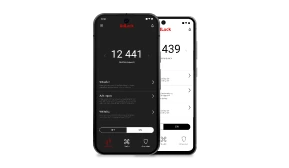
If your preferred mahjong game doesn’t offer a paid ad-free version, a network-level blocker is the practical fix. AdLock for Android works at the DNS and network layer — it intercepts ad requests before they reach the app, so the game never loads the ad in the first place. That means no banner overlays, no interstitial videos between levels, and no rewarded-ad popups.
Unlike browser extensions, it covers every app on the device simultaneously — mahjong, other puzzle games, news apps, all of it. Install AdLock for Android from Google Play or directly as an APK from adlock.com, enable it, and it handles the rest without touching the game’s files.
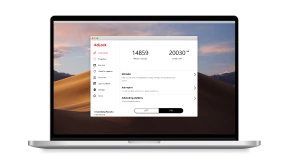
iPhone users can do the same through AdLock for iOS, and on desktop, a Windows ad blocker covers browser-based games like Arkadium. For a broader look at which mobile games handle ads well and which don’t, the ad-free mobile games guide is a useful reference. The same approach works for other ad-heavy puzzle apps — see how it applies to Wordscapes without ads for a concrete example.
Conclusion
For the best mahjong app without ads on Android, Mahjong Epic and Mahjong Titan are the clearest options — a one-time payment, no subscription, and no ads again. Microsoft Mahjong is worth trying free before you pay anything. On PC, the Windows version of Microsoft Mahjong is simply free with no strings.
If you’d rather not pay for each app separately, running AdLock at the system level covers every game at once. It’s the more practical route if you have multiple apps you’re not willing to delete but also don’t want to keep funding with your attention.
FAQ
What is the best mahjong game for Android with no ads?
Mahjong Epic is a consistent pick — a one-time purchase removes all ads, there are over 1,800 boards, and it works fully offline. Mahjong Titan is a close second with the same payment model and a more minimal design.
Is there a completely free mahjong app with no ads on Android?
Truly ad-free and free is a rare combination. Microsoft Mahjong on Android comes close — the ad load is lighter than average, and the free version is playable without being pushed toward payment constantly. For a fully ad-free experience without paying per app, a network-level blocker like AdLock is the most reliable option.
How do I block ads in mahjong apps on Android?
Install AdLock from Google Play or from adlock.com as an APK. Once active, it blocks ad requests at the network level across all apps — no root required, no per-app setup needed.
Can I play mahjong offline without ads?
Yes. Mahjong Epic, Mahjong Titan, Mahjong Journey, Mahjong City Tours, and Microsoft Mahjong all support offline play. Offline mode also cuts off the ad network’s connection, so many ads simply don’t appear — though some apps cache ads locally and still show them without internet access.
Are modded mahjong APKs safe to use?
No. Modified APKs promising ad-free mahjong without paying are frequently bundled with malware or adware, and they can get your Google account flagged. The official paid unlock or a reputable system-level blocker are both safer and more reliable.
Similar news

How to Get Rid of Ads on the Chai AI App

How to Stop Sites from Opening New Tabs Automatically

How to Uninstall Total Adblock and Find a Better Alternative (2026)

How to Use a Redirect Blocker Extension in Chrome, Firefox, Edge, and Safari

How to Block YouTube Ads on Android